Are Smart Locks Worth It? A Tampa Locksmith's Honest Take
By the experienced Florida technicians at OnCall Locksmith
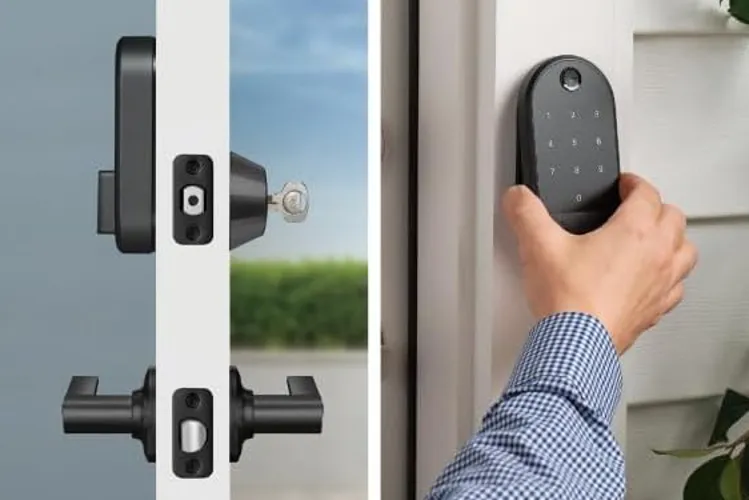
Quick Answer
For most Tampa Bay homeowners, a quality smart lock (Schlage Encode Plus, Yale Assure 2, August Wi-Fi 4th gen) is worth it for the keyless entry, auto-lock, and guest codes.
What 'smart lock' actually means in 2026
Three categories worth distinguishing. Keypad-only locks (Schlage Encode, Kwikset SmartCode) let you punch in a code — no phone needed, no Wi-Fi, no app — and they're the most reliable. Wi-Fi locks (Schlage Encode Plus, Yale Assure 2 Wi-Fi) add remote control via app, geofencing auto-unlock, and audit logs. Retrofit locks (August, Level Bolt) install on the inside of your existing deadbolt so the outside looks unchanged — great for rentals, HOA restrictions, or anyone who likes their current door hardware.
What survives Florida and what doesn't
Tampa Bay's heat and humidity are punishing on electronics in exterior hardware. The premium brands — Schlage, Yale, August, Level — last 5–8 years with normal use.
If your door has good overhead coverage (porch, awning, recessed entryway), almost any reputable brand will hold up. If it's an exposed front door taking direct rain, prioritize IP-rated hardware: look for IP54 or better in the spec sheet.
- Holds up in Tampa Bay: Schlage Encode / Encode Plus, Yale Assure 2, August Wi-Fi 4th gen, Level Bolt
- Mixed experience: Kwikset Halo (good lock, weaker app), Eufy Smart Lock
Features you'll actually use vs. features that look cool
The features that customers tell us they love six months in: auto-lock (door locks itself 30 seconds after you close it — eliminates the 'did I lock the door?' anxiety), guest codes that you can set to work only on certain days/times (housekeepers, dog walkers, Airbnb cleaners), and physical keypad backup so you're never locked out because your phone died.
Features that get used once and forgotten: voice control, complicated geofencing routines, the activity log unless you have a specific reason to monitor entries. Buy for the first list; treat the second as bonus.
Frequently asked questions
Quick answers to what Tampa Bay readers ask most about this topic.
Related services
Service areas mentioned
Need help with this in Tampa Bay right now?
Our dispatch operates during our call and dispatch hours. Contact us for help with your lock and key needs.
Call (813) 345-4608More from the OnCall Locksmith blog